Free
Hero
Physiotech Hero
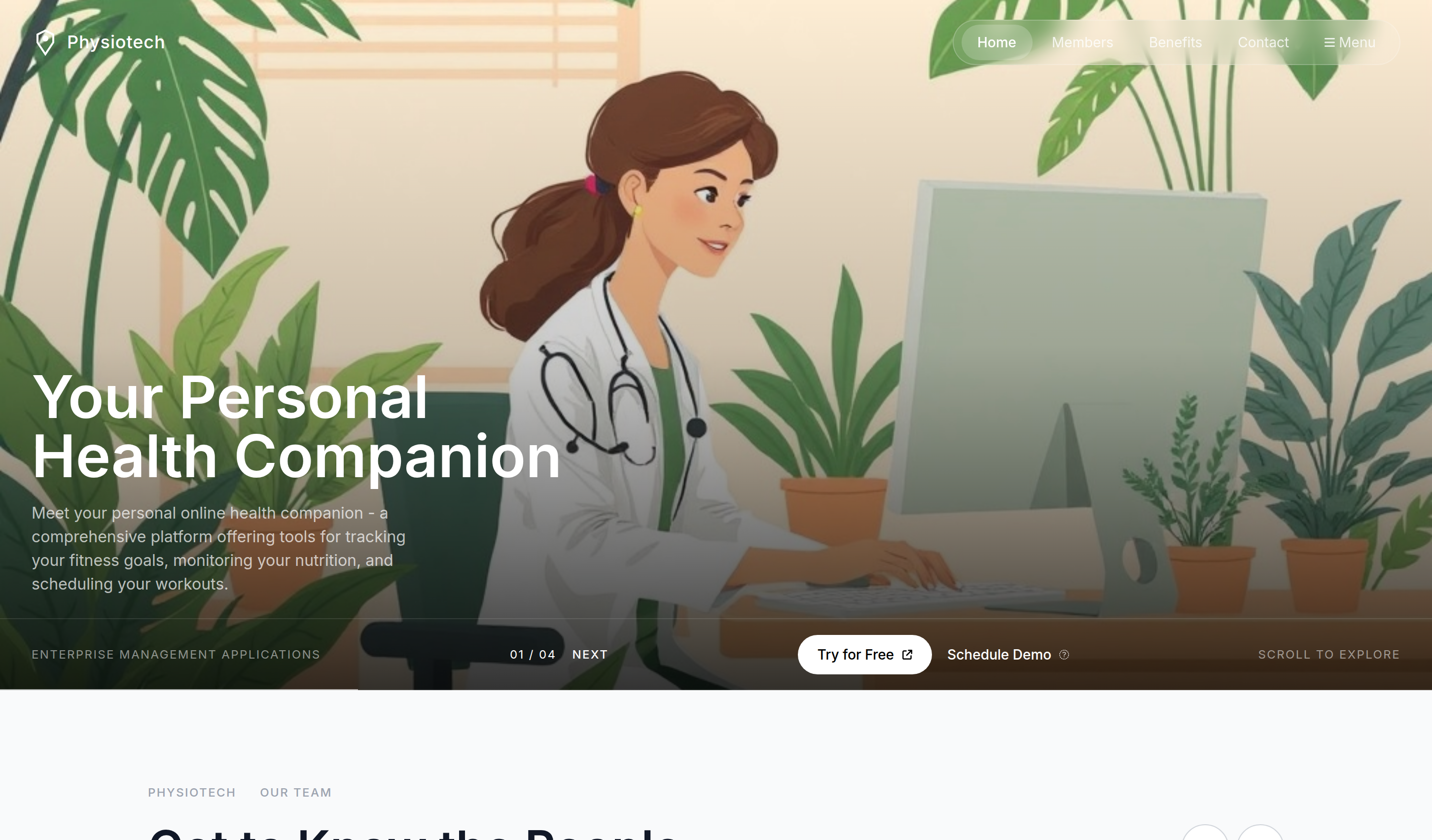
A hero block extracted from the Physiotech template, available in Tailwind CSS, Bootstrap, DaisyUI, and Material Design.
0
127

A hero block extracted from the Physiotech template, available in Tailwind CSS, Bootstrap, DaisyUI, and Material Design.
<!DOCTYPE html>
<html lang="en">
<head>
<script>
window.FontAwesomeConfig = {
autoReplaceSvg: 'nest'
};
</script>
<script src="https://cdnjs.cloudflare.com/ajax/libs/font-awesome/6.4.0/js/all.min.js" crossorigin="anonymous" referrerpolicy="no-referrer"></script>
<meta charset="UTF-8" />
<meta name="viewport" content="width=device-width, initial-scale=1.0" />
<title>Physiotech Hero | Tailwind CSS UI Block</title>
<meta name="description" content="A hero block extracted from the Physiotech template, available in Tailwind CSS and Bootstrap." />
<meta name="keywords" content="Physiotech, Tailwind CSS template, HTML website template, healthcare website template, fitness landing page, digital health, responsive medical design" />
<meta name="author" content="Let's templates">
<link rel="canonical" href="">
<meta property="og:type" content="product">
<meta property="og:site_name" content="Let's templates">
<meta property="og:locale" content="en_US">
<meta property="og:url" content="">
<meta property="og:title" content="Physiotech | Tailwind CSS Healthcare & Fitness Template">
<meta property="og:description" content="A responsive Tailwind CSS healthcare website template for fitness tracking, nutrition tools, workout scheduling, and digital health services.">
<meta property="og:image" content="">
<meta property="og:image:alt" content="Physiotech template preview">
<meta name="twitter:card" content="summary_large_image">
<meta name="twitter:url" content="">
<meta name="twitter:title" content="Physiotech | Tailwind CSS Healthcare & Fitness Template">
<meta name="twitter:description" content="A responsive Tailwind CSS healthcare website template for fitness tracking, nutrition tools, workout scheduling, and digital health services.">
<meta name="twitter:image" content="">
<meta name="twitter:image:alt" content="Physiotech template preview">
<script src="https://cdn.tailwindcss.com/3.4.17"></script>
<link rel="stylesheet" href="https://cdnjs.cloudflare.com/ajax/libs/font-awesome/6.5.0/css/all.min.css" />
<style>
@import url('https://fonts.googleapis.com/css2?family=Inter:wght@300;400;500;600;700&display=swap');
body { font-family: 'Inter', sans-serif; }
</style>
</head>
<body class="bg-white overflow-x-hidden">
<!-- block:start hero -->
<section id="hero" class="relative w-full min-h-[600px] md:h-[700px] overflow-hidden">
<!-- Hero Background Image -->
<img class="absolute inset-0 w-full h-full object-cover" src="https://storage.googleapis.com/uxpilot-auth.appspot.com/gen_30925c4d33_1a272b2c67c83272.png" alt="female doctor in white coat sitting at desk working on computer monitor, tropical green plants surro" />
<!-- Dark overlay at bottom -->
<div class="absolute inset-0 bg-gradient-to-t from-black/80 via-black/20 to-transparent"></div>
<!-- NAVBAR -->
<nav class="absolute top-0 left-0 w-full flex items-center justify-between px-4 sm:px-8 py-5 z-20">
<div class="flex items-center gap-2 text-white">
<svg width="28" height="28" viewBox="0 0 28 28" fill="none" xmlns="http://www.w3.org/2000/svg">
<path d="M6 6 L14 2 L22 6 L22 14 L14 26 L6 14 Z" stroke="white" stroke-width="2" fill="none"/>
<circle cx="14" cy="10" r="3" fill="white"/>
</svg>
<span class="text-white font-medium text-lg tracking-wide">Physiotech</span>
</div>
<!-- Desktop Nav Links -->
<div class="hidden md:flex items-center gap-1 bg-white/10 backdrop-blur-md border border-white/20 rounded-full px-2 py-1">
<a href="#" class="px-4 py-2 rounded-full bg-white/20 text-white text-sm font-medium">Home</a>
<a href="#" class="px-4 py-2 text-white/80 text-sm hover:text-white transition">Members</a>
<a href="#" class="px-4 py-2 text-white/80 text-sm hover:text-white transition">Benefits</a>
<a href="#" class="px-4 py-2 text-white/80 text-sm hover:text-white transition">Contact</a>
<a href="#" class="px-4 py-2 text-white/80 text-sm hover:text-white transition flex items-center gap-1">
<i class="fa-solid fa-bars text-xs"></i> Menu
</a>
</div>
<!-- Mobile Menu Button -->
<div class="md:hidden">
<button class="w-10 h-10 rounded-full bg-white/10 backdrop-blur-md border border-white/20 flex items-center justify-center text-white">
<i class="fa-solid fa-bars"></i>
</button>
</div>
</nav>
<!-- Hero Content -->
<div class="absolute bottom-0 left-0 w-full px-4 sm:px-8 pb-32 md:pb-24 z-10">
<div class="max-w-xl">
<h1 class="text-white text-4xl md:text-5xl lg:text-6xl font-semibold leading-tight mb-4">
Your Personal<br class="hidden sm:block" />Health Companion
</h1>
<p class="text-white/70 text-sm md:text-base leading-relaxed max-w-sm">
Meet your personal online health companion - a comprehensive platform offering tools for tracking your fitness goals, monitoring your nutrition, and scheduling your workouts.
</p>
</div>
</div>
<!-- Bottom Bar (Desktop/Tablet) -->
<div class="absolute bottom-0 left-0 w-full hidden sm:flex items-center justify-between px-8 py-4 z-10 border-t border-white/10">
<span class="text-white/50 text-[10px] md:text-xs tracking-widest uppercase truncate max-w-[200px] md:max-w-none">Enterprise Management Applications</span>
<div class="flex items-center gap-2 text-white text-xs tracking-widest">
<span>01 / 04</span>
<span class="ml-2 uppercase tracking-widest font-medium text-[10px] md:text-xs">NEXT</span>
</div>
<div class="flex items-center gap-4">
<button class="bg-white text-black text-[10px] md:text-sm font-medium px-4 md:px-5 py-2 md:py-2.5 rounded-full hover:bg-gray-100 transition flex items-center gap-1">
Try for Free <i class="fa-solid fa-arrow-up-right-from-square text-[10px] ml-1"></i>
</button>
<button class="text-white text-[10px] md:text-sm font-medium hover:text-white/70 transition flex items-center gap-1">
Schedule Demo <i class="fa-solid fa-arrow-up-right text-[10px] ml-1"></i>
</button>
</div>
<span class="text-white/50 text-[10px] md:text-xs tracking-widest uppercase">Scroll To Explore</span>
</div>
<!-- Bottom Bar (Mobile) -->
<div class="absolute bottom-0 left-0 w-full flex sm:hidden flex-col items-center gap-4 px-4 py-6 z-10">
<div class="flex items-center gap-3 w-full">
<button class="flex-1 bg-white text-black text-sm font-medium py-3 rounded-full flex items-center justify-center gap-1">
Try Free <i class="fa-solid fa-arrow-up-right-from-square text-[10px]"></i>
</button>
<button class="flex-1 bg-white/10 backdrop-blur-md border border-white/20 text-white text-sm font-medium py-3 rounded-full">
Demo <i class="fa-solid fa-arrow-up-right text-[10px]"></i>
</button>
</div>
</div>
<!-- Progress Line -->
<div class="absolute bottom-0 left-0 w-full h-px bg-white/10 z-10"></div>
<div class="absolute bottom-0 left-0 w-1/4 h-px bg-white/60 z-10"></div>
</section>
<!-- block:end hero -->
<script>
(function () {
var data = document.getElementById("team-members-data");
var members = data ? JSON.parse(data.textContent) : [];
var prev = document.getElementById("team-prev");
var next = document.getElementById("team-next");
var slots = document.querySelectorAll("[data-team-slot]");
var index = 0;
if (!prev || !next || !slots.length || !members.length) return;
function render() {
slots.forEach(function (slot, offset) {
var member = members[(index + offset) % members.length];
var image = slot.querySelector("img");
var name = slot.querySelector("[data-team-name]");
var role = slot.querySelector("[data-team-role]");
image.style.opacity = "0";
window.setTimeout(function () {
image.src = member[0];
image.alt = member[1];
name.textContent = member[2];
role.textContent = member[3];
image.style.opacity = "1";
}, 160);
});
}
function step(direction) {
index = (index + direction + members.length) % members.length;
render();
}
prev.addEventListener("click", function () { step(-1); });
next.addEventListener("click", function () { step(1); });
})();
</script>
</body>
</html>
Business
Unlock the entire library of premium templates and blocks. Renews automatically, cancel anytime.